I Wanna Love You AI
An AI image editor that takes instructions
This is not a slider-and-mask retoucher. You upload one image, describe the change in a sentence, and GPT Image 2 rebuilds the frame while keeping the subject. It is the fastest path for a background swap, a lighting change or a styling idea you cannot photograph.
Upload one image
JPG, PNG or WebP up to 10MB; one clear subject.
Describe the change
Say what should change and what must stay the same.
Download the image
1K or 2K, watermark-free, ready to use.
What prompt-based editing is good at
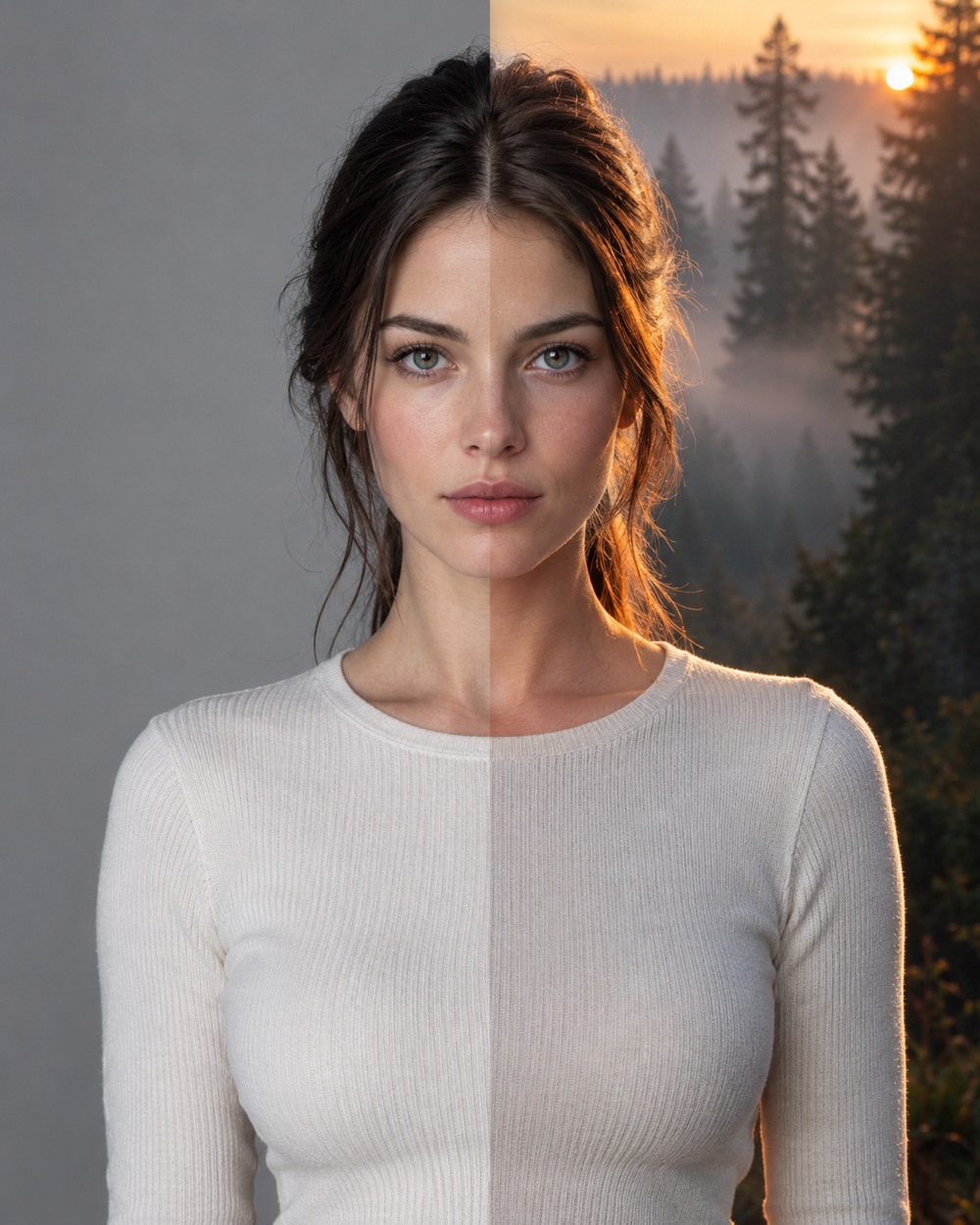
Background replacement, time-of-day and lighting changes, wardrobe and color restyling, scene relighting, and turning a snapshot into an editorial or studio look. The model keeps the composition and the subject as its anchor, then redraws the parts your instruction touches. It is generative editing, not a pixel-perfect clone of the original.
Inputs that give a clean edit
One clear subject, even light and a background that is not full of small text. JPG, PNG, WebP, GIF, AVIF and HEIC are accepted up to 10MB. Describe what should change and what must stay: “keep the face and pose, replace the background with a foggy pine forest at dusk, warm rim light”. Vague instructions produce vague edits.
Price, resolution and failure
A 1K edit costs 5 credits; a 2K edit costs 10. Both are drawn from the same balance as the video studio. If the model fails to start or returns no image, the task is marked failed and the credits return automatically. You need an account to generate: credits and tasks belong to a verified user, which keeps the queue free of throwaway accounts.
Keep creating
Four related tools that use the same credit balance.
Frequently asked questions
Can the editor remove an object?
Yes, if you describe the removal and the area is not extremely complex. Edges with hair, glass or fine text may leave artifacts; check the result before publishing.
Will the face stay exactly the same?
The face is strongly anchored, but a generative edit can shift fine details. For identity-critical work, check the result at full size before using it.
Does the edited image have a watermark?
No. The downloaded 1K or 2K image is clean. The model is also instructed not to add logos or captions.
Last updated 2026-10-20