I Wanna Love You AI
A Halloween AI video from one photo
A Halloween clip is a staging problem: one costume, one light source, one slow reveal. Upload a photo as the first frame, describe the scene in text mode, and this studio renders a 12-second vertical video with the face from your photo.
Upload one photo
A clear, front-facing photo of one person or pet.
Pick a resolution
480p, 720p or 1080p; the price is shown before you generate.
Download the MP4
12 seconds, 9:16, silent and watermark-free.
The prompt recipe that works
Name the subject, the costume, the light and the camera move: “the woman from the photo as a vampire in a black velvet coat, standing in a candlelit stone hallway, slow push-in, warm flicker on her face, fog near the floor”. Keep one costume and one location per clip. A second character or a costume change inside 12 seconds is what makes the model lose the face.
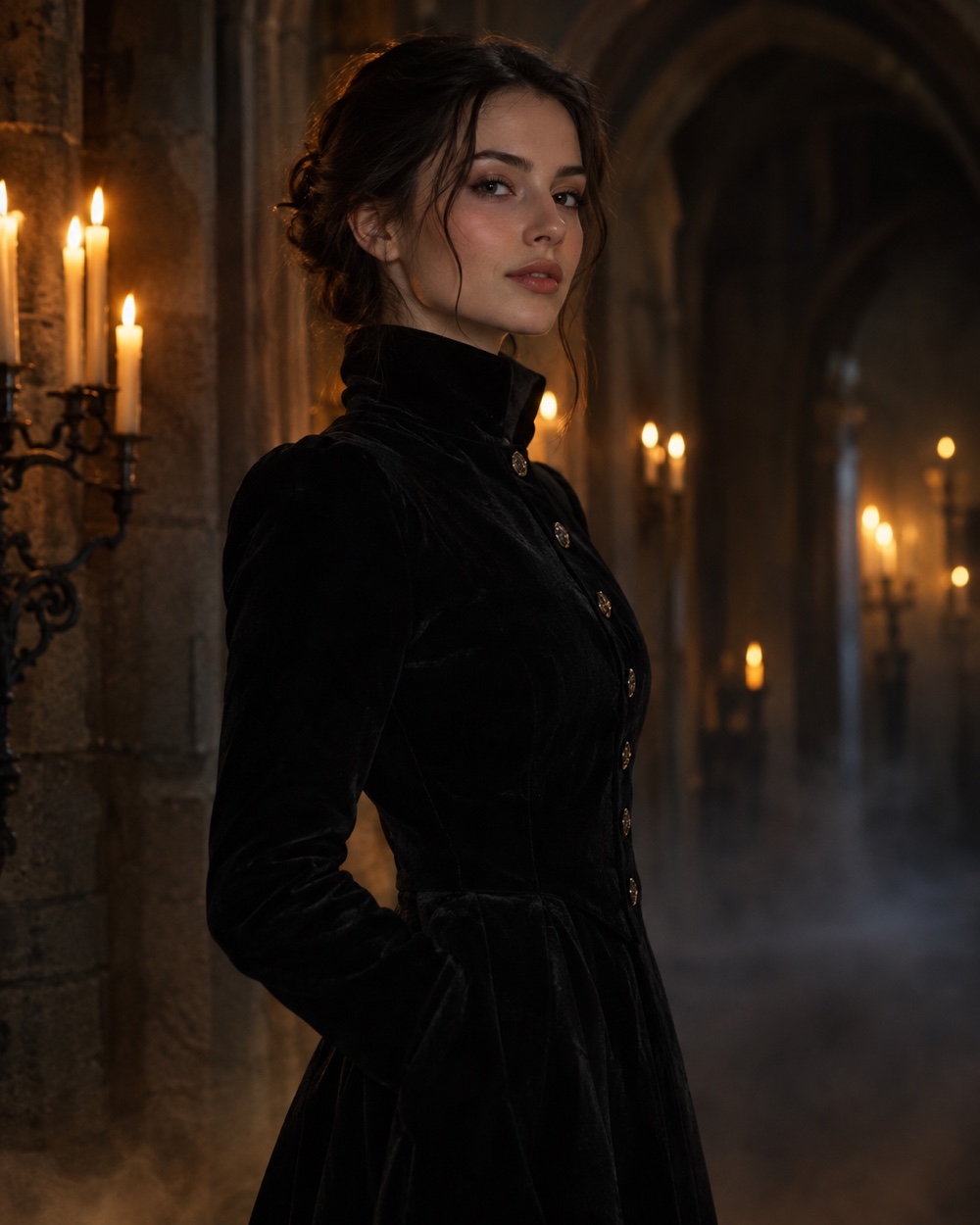
What to upload, and what to expect
Use a front-facing photo with even light and no sunglasses. A half-body shot gives the model shoulders and clothing to anchor the costume. The face is strongly reused, but fine details can drift in fast motion; check the first render before posting. Group photos, heavy filters and dark selfies produce the same weak results here as anywhere else.
Safe, legal Halloween — and the real cost
Keep it cinematic, not graphic: the content check refuses explicit gore and sexual content before the model runs. A render is 12 seconds at 480p (10 credits), 720p (30) or 1080p (60); a failed render returns its credits. The file is silent, so add a licensed sound in TikTok, Reels or Shorts and label it as AI-generated when the app asks.
Keep creating
Four related tools that use the same credit balance.
Frequently asked questions
Can I turn a normal photo into a costume?
Yes, in text mode with the photo attached as the first frame. Describe the costume and the set; the model keeps the face and rebuilds the clothing and lighting around it. Expect small differences in jewelry, hair edges and hands.
Can I make a group Halloween video?
It is unreliable. The model picks one subject and drifts on the others. For a group, render each person separately and cut the clips together, or film the group yourself.
Is gore allowed?
No. Fake blood in small amounts may pass, but explicit injury, sexual content and real-looking violence are refused. The content check runs before generation, and a refused task is not charged.
Will the video have a watermark?
No. The MP4 is clean at every resolution, and it is silent so the platform sound stays licensed to the rights holder.
Last updated 2026-10-20